Revenue by Room Move Reasons Report
The Revenue by Room Move Reasons Report allows users to track the room moves performed in a reservation by selecting a reason, and the revenue generated from them.
This report is displayed only when the Room Move Reasons Based on Category feature setting is enabled.
Perform the following steps to generate the report:
Navigate to Reports ➜ Dynamic Reports ➜ Revenue/Forecasting ➜ Revenue by Room Moves.
Refer to the following table and fill in the fields.
|
Field |
Description |
|---|---|
|
Report Name |
Revenue by Room Move Reasons |
|
Property |
Displays the current property by default. Users can select any property under the tenant. |
|
Start Date |
The date from which the report should be generated. Displays the current property date by default. Users can select any date in the past/future. |
|
End Date |
The date up to which the report should be generated. Displays the current property date by default. Users can select any date that is within a maximum date range of 365 days from the start date. |
|
Category |
It is a multi-select drop-down list that displays all the categories. |
Click Run to generate the report.
Click Save to save the report under User Favorites section.
Sample Report
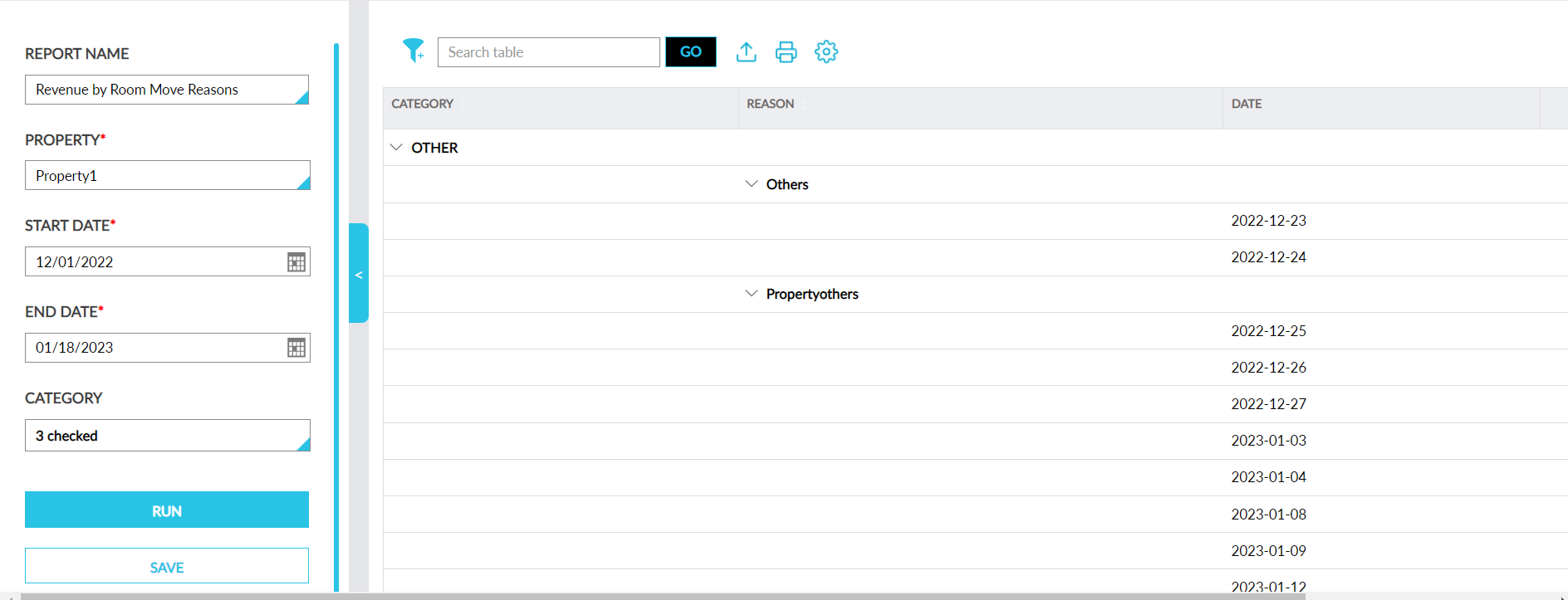
Report Fields
This report displays the following fields:
|
Field |
Description |
|---|---|
|
Category |
|
|
Reason |
The reasons for each category are displayed with an accordion. When expanded, the dates for which the reason was selected are displayed. |
|
Date |
Displays all the dates between the start and end dates. |
|
Revenue |
|